Set it once. It runs, and it reverts.
Auto Schedule makes timed changes to your store for you: prices, discounts, publishing, tags, banners, theme blocks and countdown timers. Set it once, and revert any run in one click.
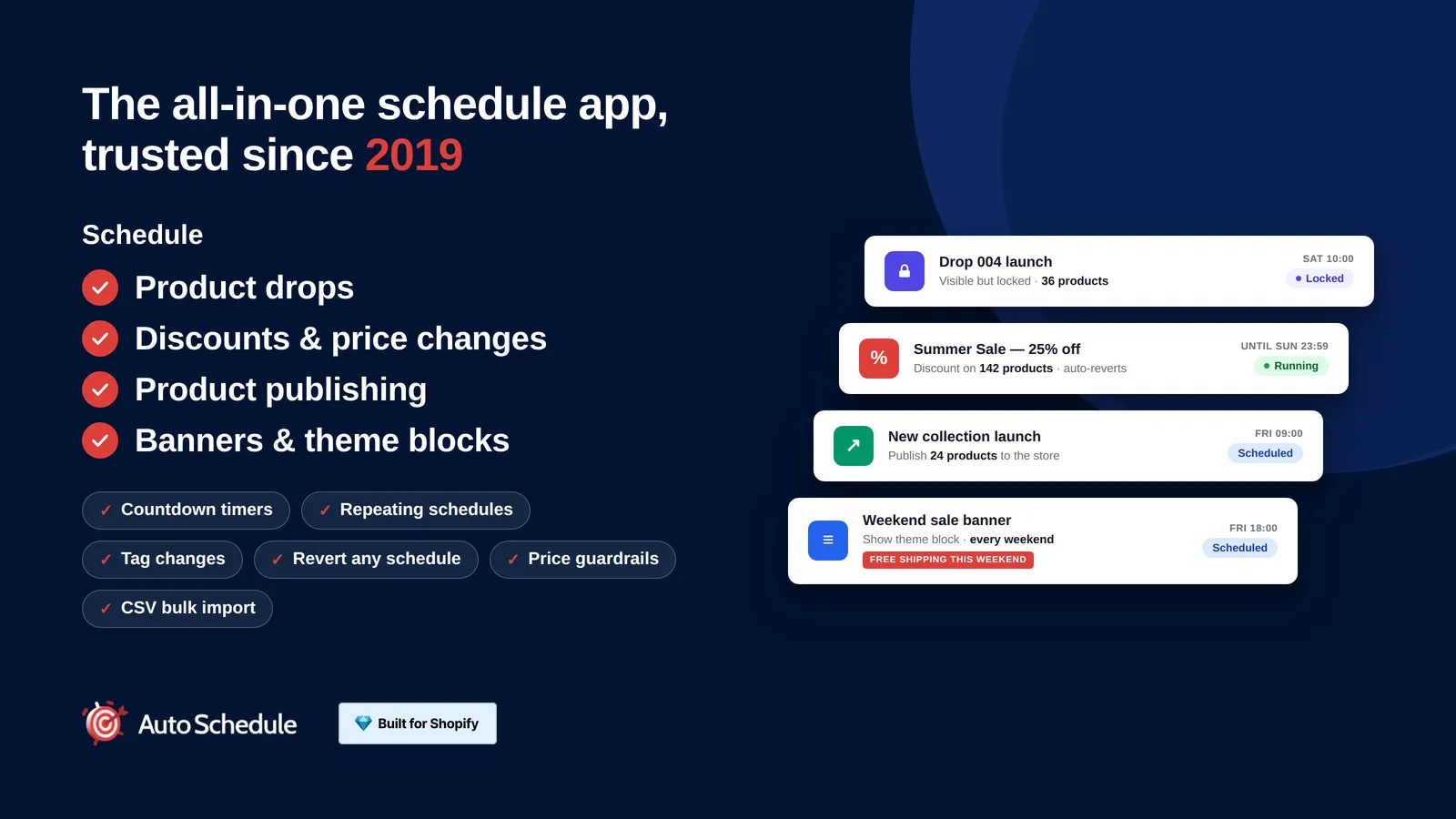
Features
Scheduled discounts and sale pricesEntry, Pro and Plus
Set a sale to start and end on its own. Auto Schedule changes prices, discounts and promotions at the time you choose, then puts them back.
Product drops with a Coming soon lockPro and Plus
Keep a drop product visible before launch but locked behind a Coming soon button, with purchases blocked at checkout until the drop moment.
Schedule theme sections and blocksPro and Plus
Show or hide any storefront section or block, including sale banners, on a schedule, so the banner appears when the sale starts and goes when it ends.
Schedule publishing and tagsEntry, Pro and Plus
Publish or unpublish products at a set time and change their tags on the same schedule, so seasonal ranges appear and disappear on their own.
Countdown timers tied to the schedulePro and Plus
Put a countdown on the storefront that runs to the same moment the sale ends, so the timer and the price change agree with each other.
CSV import for bulk schedulesPlus
Upload a CSV to build many schedules at once, instead of setting them one by one, for sales that cover a large part of the catalogue.
Price floors and discount warningsPlus
Set a minimum price a product must not go below, with email alerts and discount warnings, so a stacked discount cannot sell stock at a loss.
Audit timeline and one-click revertEntry, Pro and Plus
Every scheduled change is recorded in a timeline, and any past run can be undone in one click, so a sale that went wrong is a few seconds of work.
Repeating schedules for recurring salesPro and Plus
Set your schedule to run every weekend, or on your own pattern. Great for rotating menus or regular promotions you would rather not rebuild each time.
Email notifications when a schedule runsPro and Plus
Receive an email notification when a scheduled change runs, so you know exactly what changed, and what it changed from and to.
Shopify Flow triggers from your schedulesEntry, Pro and Plus
Auto Schedule works with Shopify Flow, so a scheduled change can set off the rest of your automation instead of stopping at the price change itself.
Reorder products in collections on a schedulePlus
Change the order products appear in a collection, so products are in the order you want when they're published or a promotion starts.
Pricing
Free plan available, paid plans from $9.99 a month. Prices are in USD and billed by Shopify on your normal store invoice. The App Store listing is the place to check the current price and the plan limits before you install.
Common questions
Does the sale end on its own?
Yes. A reverting schedule sets the sale price at the start time and puts the original price back at the end time, without you being there.
Is scheduling discounts on the free plan?
Yes. Scheduling sales, discounts and promotions is on the Entry plan, which is free, for up to 10 products at a time.
Can people buy before the drop time?
No. Purchases are blocked at checkout until the drop moment, so a direct cart link will not get round it.
Which plan are product drops on?
Product drops are on the Pro and Plus plans.
Does this edit my theme code?
No. It changes the visibility of sections and blocks you already have in your theme, on the schedule you set.
Can I schedule tag changes as well?
Yes. Scheduling tag changes is on the Pro and Plus plans, and tags drive collections, so a tag change can move a product in or out of a collection.
Is scheduled publishing free?
Scheduling product publishing and tags is on the free Entry plan, for up to 10 products at a time.
Does the timer control the sale?
The timer shows the deadline. The schedule makes the price change, so set both from the same end time and they agree.
Which plan are countdown timers on?
Countdown timers are on the Pro and Plus plans.
Which plan is CSV import on?
CSV import is on the Plus plan.
Can I undo a bulk upload?
Every run is recorded in the timeline and any past run can be undone, including ones created from a CSV.
What happens when a discount would break the floor?
Price floors keep discounts above the minimum you set, and the app can email you an alert. Discount warnings flag the problem as well.
Can I undo a run on the free plan?
Yes. Undoing any past run is on the free Entry plan.
What does the timeline show?
It audits every change the app made, so you can see what ran and when before you decide to revert it.
Can I set my own pattern rather than weekly?
Yes. A custom recurrence can run every few weeks, on the days you pick, and for a set number of times.
Does each run still revert on its own?
Yes. Every run in the series is recorded in the timeline, so you can undo any one of them.
What triggers an email?
Auto Schedule can email you about schedule activity, and price floor alerts are sent by email as well.
Do I still get the timeline?
Yes. The timeline records every run whether or not you have email on, so the email is a prompt rather than the only record.
Do I need a paid plan for Flow triggers?
No. Shopify Flow triggers are listed on the free Entry plan.
What can Flow do with the trigger?
Whatever you build in Flow. The trigger is the starting point, and the actions after it are yours to choose.
Does this change the collection sort order?
It reorders the products in the collection, so the positions you want are in place when the schedule runs.
Can I put the order back afterwards?
Every run is in the timeline, so a reorder can be reverted like any other scheduled change.
Try Auto Schedule on your store
Free plan available. Paid plans from $9.99 a month.